
AI tools for Unreal Engine, compared
CodeFizz Editor Agent next to Epic's Unreal MCP, Aura, NeoStack AI, Ultimate Engine CoPilot, Nwiro, StraySpark, Rekall, ClaudeUnreal and the main free projects. First one table of what each tool builds and which jobs it does after building. Then videos, prices, engine versions and platforms.
Every fact about another tool comes from that vendor's own pages and has a source link. Where another tool is the better choice, this page says so.
Area by area, job by job
We read each vendor's feature pages, tool lists and changelogs. The first part shows what each tool builds, with the count each vendor publishes. The second part shows the jobs that come after building: profiling, debugging, checks and undo. CodeFizz Editor Agent states all 8 of those jobs. Ultimate Engine CoPilot states 6 and StraySpark Unreal MCP Server states 5, so they are the closest.
| Job | CodeFizz Editor Agent | Unreal MCP | Aura | NeoStack AI | Ultimate Engine CoPilot | Nwiro | StraySpark Unreal MCP Server | Rekall MCP Tools for Unreal Engine | ClaudeUnreal |
|---|---|---|---|---|---|---|---|---|---|
| What it builds | |||||||||
| Blueprints | Yes57 commands | Yes53 tools | Yes | Yes | Yes | Yes18 tools | Yes65 tools | Yes | Yes |
| Materials | Yes52 commands | Yes35 tools | Yes | Yes | Yes | Yes12 tools | Yes18 tools | Yes | Yes |
| Niagara | Yes135 commands | Yes56 tools | Yes | Yes | Yes | Yes4 tools | Yes3 tools | Yes | Yes |
| PCG | Yes100 commands | Yes31 tools | Not stated | Yes | Yes | Yes4 tools | Yes16 tools | Yes | Yes |
| Sequencer | Yes220 commands | Yes140 tools | Not stated | Yes | Yes | Yes6 tools | Yes23 tools | Yes | Yes |
| Control Rig | Yes165 commands | Yes116 tools | Not stated | Yes | Yes | Not stated | Yes2 tools | Not stated | Not stated |
| Animation Blueprints | Yes56 commands | No | Not stated | Yes | Yes | Yes9 tools | Yes14 tools | Yes | Yes |
| UMG widgets | Yes54 commands | Yes23 tools | Yes | Yes | Yes | Yes4 tools | Yes46 tools | Yes | Yes |
| Behavior Tree and EQS | Yes36 commands | Noreads only | Yes | Yes | Yes | Yes7 tools | Yes8 tools | Yes | Yes |
| StateTree | Yes42 commands | Noreads only | Not stated | Yes | Yes | Yes3 tools | Yes5 tools | Yes | Not stated |
| Enhanced Input | Yes21 commands | No | Yes | Yes | Yes | Yes5 tools | Yes6 tools | Yes | Yes |
| Gameplay Ability System | Yes25 commands | Yes14 tools | Not stated | Yes | Yes | Yes6 tools | Yes8 tools | Yes | Not stated |
| Audio and MetaSound | Yes40 commands | No | Yesaudio agent | Yes | Yes | Yes3 tools | Yes17 tools | Yessound cues | Yes |
| IK Rig and retargeting | Yes32 commands | Not stated | Not stated | Yes | Yes | Yes8 tools | Yes | Yes | Yes |
| Landscape, foliage and world | Yes55 commands | Not stated | Not stated | Yes | Yes | Yes7 tools | Yes7 tools | Yes | Yes |
| Mass entities | Yes19 commands, UE 5.8 | No | Not stated | Yes | Yes | Not stated | Not stated | Not stated | Not stated |
| Mutable characters | Yes36 commands | Not stated | Not stated | Yes | Yes | Not stated | Not stated | Not stated | Not stated |
| Jobs past building | |||||||||
| Profiles the game and names what is slow | Yes5.7 and 5.8 | No | Yesalpha | Not stated | YesUnreal Insights trace | Not stated | Yesframe times, render stats | Not stated | Not stated |
| Sets Blueprint breakpoints and reads values at a stop | Yes | No | Not stated | Not stated | Yes | Yes | Yes | Not stated | Not stated |
| Reads a running Niagara effect | Yescounts and values | No | Not stated | Yesduring play | Yesparticle counts | Not stated | Not stated | Not stated | Not stated |
| Reads AI state during play | YesBehavior Tree | No | Not stated | Not stated | Not stated | Yesblackboard keys | Not stated | Not stated | Not stated |
| Test-runs a rig with no window open | Yes | No | Not stated | Not stated | Not stated | Not stated | Not stated | Not stated | Not stated |
| Starts the game and reads screenshots or logs | Yes | Yes | Yes | Yes | Yes | Yes | Yes | Yes | Yes |
| Has checks that only report, with a pass or fail | Yes43 checks | Not stated | Not stated | YesMap Check | YesBlueprint graphs | Not stated | Yesnine validators | YesData Validation, Map Check | Not stated |
| Takes back a change through undo or rollback | Yesa failed step is undone | Not stated | Not stated | Yes | Yes | Yes | Yes | Yesfile snapshots | Not stated |
| Where other tools lead | |||||||||
| Runs on macOS | No | Not stated | Yes | Yes | Yes | Yes | Nocurrent release | Not stated | Yes |
Yes means the vendor states it on its own pages. Not stated means we did not find it there on 7 October 2026. It does not mean the product cannot do it. No means the vendor says so, or for Epic's Unreal MCP that the 5.8.3 engine source has no such tool. A number is the count that vendor publishes for the area, in its own unit, and Epic's numbers were counted in the 5.8.3 engine source. A tool is not the same size in every product, so read a number as a rough guide to depth and not as a score.
Sources: Aura performance profiling, Aura verification agent, NeoStack changelog, Ultimate Engine CoPilot updates, Ultimate Engine CoPilot features, Nwiro tool reference, Nwiro changelog, StraySpark tool list, Rekall product page, ClaudeUnreal home.
One fact we could check in source: in Unreal Engine 5.8.3, the toolsets of Epic's Unreal MCP have no tool for Blueprint breakpoints, for Unreal Insights traces, or for the Niagara Debugger.
It does more than build
Making a Blueprint or a material is the easy part. The real work starts after that. The frame rate drops, an effect shows nothing, an enemy stands still, a cloak cuts through a leg. For each of those you would open a different Unreal tool yourself. CodeFizz Editor Agent gives your agent those same tools, so it can find the cause and not only guess. Here are six jobs it can do, each with a question you might ask.
Find what makes the game slow
You ask: "Why does this level drop to 40 frames a second?"
The agent records an Unreal Insights trace while the game runs, then reads it for you. It names the worst frames, the functions that cost the most time and the GPU passes that take the longest. It can also switch one console variable on and off and report the difference in frame time, GPU passes and CPU timers.
Needs Unreal Engine 5.7 or 5.8.
Commands: performance_start_trace, performance_analyze_insight, performance_profile_gpu, performance_ab
Debug a Blueprint step by step
You ask: "Why does the door not open when I press E?"
The agent puts a breakpoint on a node and starts the game. When play stops at that node, it reads the call stack and the values on the object, then steps forward one node at a time. It can also watch a pin and list the nodes that ran last. This is the Blueprint debugger you already know, with the agent at the controls.
Commands: set_breakpoint, debug_step, get_call_stack, inspect_debug_value, set_pin_watch
Look inside a running Niagara effect
You ask: "Why do no particles show, and why is this effect so expensive?"
The agent reads the live particle count and the values on each particle, the same data the Attribute Spreadsheet shows. It can pause, step or slow down every effect, and it measures what one system costs on the game thread, the render thread and the GPU. If the stack has errors, it reads them and can apply the fix that the Fix issue button in the editor applies.
Commands: get_niagara_particle_stats, get_niagara_particle_data, set_niagara_debug_playback, profile_niagara_system, fix_niagara_stack_issue
See why an AI character does what it does
You ask: "Why is the enemy standing still?"
During play, the agent reads the Behavior Trees that are running and can pause the game when a tree reaches a node you name. It runs an Environment Query and returns the engine's own debug view of the result. On Unreal Engine 5.8 it also reads live Mass entities and the values they hold.
Commands: get_bt_runtime, set_bt_breakpoint, run_env_query, get_mass_entity
Test a rig before an animator touches it
You ask: "Does the cloak cut through the body when the character runs?"
The agent runs the rig for as many frames as you ask, with no window open. It reports limbs that cross, feet that go through the ground, bones that shake, and how deep one mesh goes into another. It also tells you how long the rig takes to solve and which nodes cost the most.
Commands: simulate_rig, measure_mesh_penetration, get_rig_motion_report, profile_rig
Read and explain what is already in the project
You ask: "What does this material do, and what does it cost?"
The agent reads the graph and follows a wire from any node to where it ends. It reports the shader cost numbers that the engine itself shows. For PCG it reads the data that comes out of a single node. It can take a screenshot of the viewport or of an editor window, so you and the agent look at the same picture.
Commands: trace_material_connection, material_stats, pcg_inspect_node_output, take_screenshot
These six questions are a fair test for any tool on this page. Every command named above is on the tools page. The table at the top of this page shows which of these jobs each vendor states.
Benchmarks, and proof you can watch
One vendor on this page has published a benchmark. NeoStack ran five tasks (Niagara, Material, Level design, UMG widget, Animation Blueprint) on Unreal Engine 5.8 on 31 July 2026, once per product. It reports these passes out of five: NeoStack AI 3, Epic Unreal MCP 1, Aura 1, Ultimate Engine CoPilot 0, Nwiro Integration Kit 0.
NeoStack itself calls the result directional and not a market ranking. The task prompts and the test harness are not published, and the page does not name the AI model that was used. CodeFizz Editor Agent was not one of the five products.
Nobody outside NeoStack can run the same test, so we will not invent a score. We can show you the work. Here is CodeFizz Editor Agent doing each of those five kinds of work on video, from the prompt to the result in the editor.

4:01
A full solar system in Unreal Engine, built with Niagara by prompting
4:14
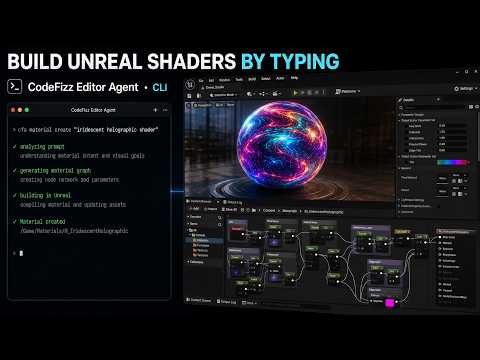
Build Unreal Engine materials by typing a prompt

2:07
A full Unreal Engine 5 level prototype from one prompt and a reference image

5:43
A full Unreal Engine 5 UI with zero images, only materials and AI
3:29
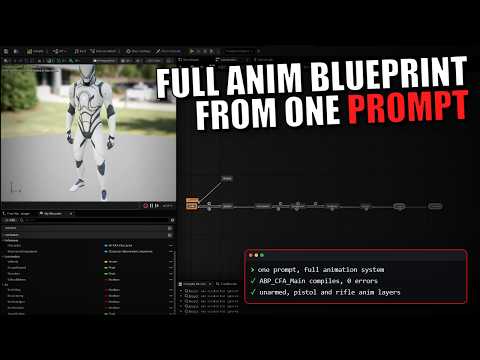
A full third person animation system in Unreal Engine 5, built from one prompt
These are our own tasks and our own recordings, not NeoStack's prompts. So this is not a score against any other tool. It shows that the agent can do each kind of work, and you can see how it gets there. The clips are shortened. The Animation Blueprint run, for example, took about 28 minutes in real time.
More work on video
The same proof for areas that benchmark did not test: fluid simulation, AI behavior, a rig with physics, game music and a procedural forest. In the Niagara Fluids run the agent also checks its own screenshots, finds why the color is wrong, and measures what the effect costs. Every run with its steps is on the demo page.

2:48
Unreal Engine 5 profiling by an AI agent: 3 FPS to 90 FPS

3:22
A real 3D Niagara Fluids vortex in Unreal Engine 5, from one image and one prompt

1:38
Hide and seek AI in Unreal Engine 5: Behavior Tree, EQS, and perception from one prompt

2:45
Unreal Engine 5 game music from MetaSounds, with no audio files

3:52
A full Unreal Engine 5 Control Rig with hair and jiggle physics, built from one prompt

2:29
A stylized ocean water material in Unreal Engine 5, built without touching a node
2:44
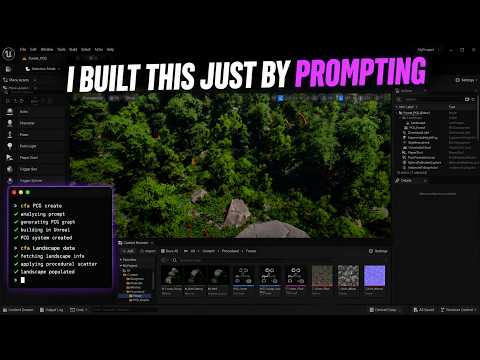
A fully procedural forest in Unreal Engine 5 with PCG, built by prompting
The fair test is still your own task. CodeFizz Editor Agent has a three day free trial, and most tools here have a trial or a free tier.
Sources: NeoStack benchmark.
Where CodeFizz Editor Agent is the right choice
CodeFizz Editor Agent is a plugin for Unreal Engine 5.6, 5.7 and 5.8 on Windows. Your AI agent uses it to build and edit inside the editor. These are the reasons people choose it.
Depth where Unreal is hardest
Sequencer, Niagara, Control Rig and PCG are the four largest command groups. An agent can build a full effect, rig or shot, not only create an empty asset.
It checks its own work
43 commands do nothing but check: does the material compile, does the rig deform the mesh, does the Niagara stack have errors. Each one returns pass, pass with warnings, or fail.
A failed step leaves no mess
If a command fails, everything it changed is undone and any asset it created is removed. Every command is one named step in the undo history, so Ctrl+Z takes it back.
No AI meter
You use the AI plan you already have. There are no credits or tokens to buy from CodeFizz, so a long session costs the same as a short one.
One release for three engine versions
Unreal Engine 5.6, 5.7 and 5.8 get the same release on the same day, each one tested before it ships.
A CLI and an MCP server
The free cfa command line tool works with any agent that has a terminal. The same commands are an MCP server for editors that have none.
See the full list on the tools page, watch it work on the demo page, or check the pricing.
The short answer: which tool for which need
No single tool is best at everything. Start from what you need.
If you need
Deep work in Niagara, Sequencer, Control Rig, PCG and StateTree
Look at CodeFizz Editor Agent
Those are its largest command groups. It adds 43 commands that only check the result, and a flat price with no AI meter.
If you need
An agent that can profile and debug, not only build
Look at CodeFizz Editor Agent
It states every job in the job table on this page: profiling, Blueprint breakpoints, live Niagara and AI data, rig test runs, checks and undo. Ultimate Engine CoPilot and StraySpark state several of them too.
If you need
Free, on 5.8, and made by Epic
Look at Unreal MCP
It ships with the engine. Epic labels it Experimental, and it is only in 5.8.
If you need
A Mac
Look at Aura, NeoStack AI, Ultimate Engine CoPilot, ClaudeUnreal
These four state macOS support. CodeFizz runs on Windows only.
If you need
Pay once and get the source code
Look at StraySpark, ClaudeUnreal
Both are one-time purchases that include source.
If you need
The largest published tool list
Look at Ultimate Engine CoPilot
Its vendor states 1,655 tools, the highest number on this page.
If you need
Free and open source
Look at Monolith, ChiR24 Unreal_mcp
Both carry an MIT licence and had commits in the last few weeks.
Side by side
The same six facts for every tool. "Published size" is the number each vendor states, in the vendor's own unit. Those units differ, so do not rank tools by that column alone.
| Tool | Price | Unreal versions | Runs on | Who runs the AI | Published size |
|---|---|---|---|---|---|
| CodeFizz Editor AgentCodeFizz | From $19.99 a month. Three day free trial with no card. A one-time Lifetime option is also offered. | 5.6, 5.7 and 5.8, all on the same release | Windows | Your own agent and the AI plan you already pay for: Claude Code, Cursor, Gemini CLI, Codex or any MCP client. CodeFizz sells no AI credits. | 1400+ commands across 37 categories, of which 43 only check results. |
| Unreal MCPEpic Games | Part of Unreal Engine 5.8. Epic sets no separate price for it. | 5.8 | Not stated by Epic | Your own agent. Epic names Claude Code, Cursor, VS Code, Gemini and Codex. | No number given. Epic's docs speak of hundreds of tools in the registry. |
| AuraRamen VR | $10, $40 or $200 a month on monthly billing, with a free two week trial. A one-time edition is sold on Fab. | 5.4 to 5.8 on Windows. 5.7 and 5.8 on Apple Silicon Macs. | Windows, macOS (Apple Silicon) | Aura's own cloud, paid from a monthly credit. Using your own agent over MCP is offered and is labelled Alpha. | No tool count published. |
| NeoStack AIBetide Studio | $20 per seat a month with AI credits included. Three day trial (card needed) and a free plan. The plugin alone is a one-time purchase on Fab. | 5.5 to 5.8 on Windows. 5.7 and 5.8 on macOS. | Windows, macOS | NeoStack Cloud credits, your own agent (Claude Code, Codex, Gemini CLI and others), an API provider, or a local model. | No tool count published. The vendor describes about 60 engine modules that the agent drives by writing scripts. |
| Ultimate Engine CoPilotBlueprintsLab | One-time licence listed at $284.99 a seat (on sale at $199.49 when checked), or plans from $25 a month with AI tokens included. | 5.5 to 5.8 | Windows, macOS | Plan tokens, your own API key, a local model (Ollama, LM Studio), or your own agent over MCP. | 1,655 tools, the largest published figure on this page. |
| NwiroLeartes Studios | Nwiro Pro is a free plugin and you pay for AI use with credits (plans from $12 a month, five free prompts). The Integration Kit is a one-time purchase on Fab. | 5.5 to 5.8, according to its changelog | Windows. The vendor site also lists macOS. | Nwiro Pro uses the vendor cloud. The Integration Kit uses your own Claude Code or Codex plan, a local model, or any MCP client. | Between 209 and 224 native C++ tools, depending on which Nwiro page you read. |
| StraySpark Unreal MCP ServerStraySpark | One-time: $129 Personal or $449 Professional. No subscription. | The current release targets 5.8. Users on 5.7 stay on an older, frozen version. | Windows for the current release | Your own MCP client. A vendor cloud console, paid with credits, is in beta. | 523 tools in 70 groups, with a published count for every group. |
| Rekall MCP Tools for Unreal EngineRekall Software Solutions | One-time purchase on Fab. The vendor site shows no price. | 5.6, 5.7 and 5.8 | Windows | Your own agent over MCP, or its in-editor panel with your own keys or a local model. | 797 editor capabilities. |
| ClaudeUnrealechoulen | $99 one-time, with source code included. | 5.7 and 5.8 | macOS first. Windows is available. | Your own Claude plan. It also supports the Codex CLI and other MCP clients. | About 500, counted by the vendor as commands. |
| Monolithtumourlove (open source) | Free. MIT licence. | 5.7 and 5.8 | Not stated in the README | Your own agent over MCP. | About 1,400 actions across 26 namespaces, by its README. |
| Unreal_mcpChiR24 (open source) | Free. MIT licence. | The README targets 5.0 to 5.8 | Not stated in the README | Your own agent over MCP. | One tool with nearly 400 capabilities, by its README. |
| unreal-mcpchongdashu (open source) | Free. The README says MIT. The repository has no licence file. | 5.5 and later, by its README | Not stated in the README | Your own agent over MCP. | No count stated in the README. |
| unreal-mcpGenOrca (open source) | Free. Apache 2.0 licence. | 5.6 and later, by its README | Not stated in the README | Your own agent over MCP. | 253 actions across 21 domains, by its README. |
Where another tool is the better choice
CodeFizz Editor Agent is not the right pick for everyone. Choose something else when:
- You need it to be free. Epic's Unreal MCP costs nothing on 5.8, and so do the open source projects.
- You work on macOS or Linux. CodeFizz ships for Windows only.
- You want to pay once, or you need the plugin source code.
- You are on Unreal Engine 5.4 or 5.5. CodeFizz starts at 5.6.
Each tool in detail
What each one is, what it costs, and when it is a good fit.
Unreal MCP
Built into the engineBy Epic Games
Epic's own MCP server, built into the Unreal Editor so an AI agent can drive the editor over a local connection.
- Price
- Part of Unreal Engine 5.8. Epic sets no separate price for it.
- Unreal versions
- 5.8
- Runs on
- Not stated by Epic
- Who runs the AI
- Your own agent. Epic names Claude Code, Cursor, VS Code, Gemini and Codex.
- Published size
- No number given. Epic's docs speak of hundreds of tools in the registry.
- Epic labels it Experimental and says features may be missing and formats may change.
- It is off until you enable the Unreal MCP and All Toolsets plugins and restart the editor.
- The server starts from an editor preference, a console command or a launch flag, and listens on a local HTTP port.
- Epic states that it has no authentication layer and is meant for the local machine only.
- In the 5.8.3 engine source, the StateTree toolset has nine tools and all of them read. None creates or edits a tree.
- In the 5.8.3 engine source, no toolset covers Enhanced Input or Unreal Insights profiling.
- In the 5.8.3 engine source, no toolset has a tool for Blueprint breakpoints or for the Niagara Debugger.
A good fit when: You are on 5.8, you want something free that comes from Epic, and an Experimental feature is fine for your work.
CodeFizz Editor Agent vs Unreal MCP, side by side
Sources: Unreal MCP documentation, Unreal Engine 5.8 release notes.
Aura
Paid productBy Ramen VR
A set of AI agents for Unreal and Unity with its own chat app, an in-editor panel and hosted models.
- Price
- $10, $40 or $200 a month on monthly billing, with a free two week trial. A one-time edition is sold on Fab.
- Unreal versions
- 5.4 to 5.8 on Windows. 5.7 and 5.8 on Apple Silicon Macs.
- Runs on
- Windows, macOS (Apple Silicon)
- Who runs the AI
- Aura's own cloud, paid from a monthly credit. Using your own agent over MCP is offered and is labelled Alpha.
- Published size
- No tool count published.
- Generates images, 3D models, rigged characters, motion clips and audio from text or reference images.
- Its docs list agents for Blueprints, Behavior Trees, level design, materials, VFX, audio, C++ and profiling.
- The MCP setup installs two servers, one that only reads and one that edits.
- Version 1.1.0 is dated 6 October 2026.
A good fit when: You want one subscription that includes the AI itself, and you want it to generate 3D models, images, characters and audio.
CodeFizz Editor Agent vs Aura, side by side
Sources: Aura pricing, Aura documentation, Aura MCP documentation.
NeoStack AI
Paid productBy Betide Studio
An AI agent inside the Unreal Editor whose live session can also be reached from a desktop app, the web and a phone.
- Price
- $20 per seat a month with AI credits included. Three day trial (card needed) and a free plan. The plugin alone is a one-time purchase on Fab.
- Unreal versions
- 5.5 to 5.8 on Windows. 5.7 and 5.8 on macOS.
- Runs on
- Windows, macOS
- Who runs the AI
- NeoStack Cloud credits, your own agent (Claude Code, Codex, Gemini CLI and others), an API provider, or a local model.
- Published size
- No tool count published. The vendor describes about 60 engine modules that the agent drives by writing scripts.
- Ships an in-editor panel and an MCP server with an access token switched on by default.
- Publishes its own benchmark of five products (see the benchmark section below).
- Plugin version 4.0.17 is dated 21 September 2026.
A good fit when: You want to follow and steer the same session from desktop, web and phone, or you want to run a local model.
CodeFizz Editor Agent vs NeoStack AI, side by side
Sources: NeoStack compatibility, NeoStack home and pricing, NeoStack benchmark, NeoStack changelog.
Ultimate Engine CoPilot
Paid productBy BlueprintsLab
An AI agent that works inside the Unreal Editor, with an in-editor panel and an MCP server.
- Price
- One-time licence listed at $284.99 a seat (on sale at $199.49 when checked), or plans from $25 a month with AI tokens included.
- Unreal versions
- 5.5 to 5.8
- Runs on
- Windows, macOS
- Who runs the AI
- Plan tokens, your own API key, a local model (Ollama, LM Studio), or your own agent over MCP.
- Published size
- 1,655 tools, the largest published figure on this page.
- Generates 3D meshes, images, sound effects, voice and music from inside the editor.
- The vendor names Blueprints, animation, materials, Niagara, PCG, Behavior Trees, GAS, UMG and Sequencer.
- Version 2.0.9 is dated 6 October 2026.
A good fit when: You want the largest published tool list, a local model, or a licence you buy once.
CodeFizz Editor Agent vs Ultimate Engine CoPilot, side by side
Sources: Ultimate Engine CoPilot pricing, Ultimate Engine CoPilot FAQ, Ultimate Engine CoPilot updates.
Nwiro
Paid productBy Leartes Studios
An AI tooling layer for Unreal Engine 5, sold as two plugins: Nwiro Pro with hosted AI, and an Integration Kit for your own AI.
- Price
- Nwiro Pro is a free plugin and you pay for AI use with credits (plans from $12 a month, five free prompts). The Integration Kit is a one-time purchase on Fab.
- Unreal versions
- 5.5 to 5.8, according to its changelog
- Runs on
- Windows. The vendor site also lists macOS.
- Who runs the AI
- Nwiro Pro uses the vendor cloud. The Integration Kit uses your own Claude Code or Codex plan, a local model, or any MCP client.
- Published size
- Between 209 and 224 native C++ tools, depending on which Nwiro page you read.
- The Integration Kit exposes the same tools as an MCP server on a local port.
- Connects to outside services for 3D models, voices, sound effects and tileable materials.
- The vendor FAQ describes the product as being in alpha.
- Nwiro Pro 1.1.12 and Integration Kit 1.0.13 are dated 25 September 2026.
A good fit when: You want a free plugin with pay as you go AI, or its text to environment tools.
CodeFizz Editor Agent vs Nwiro, side by side
Sources: Nwiro pricing, Nwiro documentation, Nwiro tool reference, Nwiro changelog.
StraySpark Unreal MCP Server
Paid productBy StraySpark
An MCP server plugin that connects Claude, Cursor or any MCP agent to the Unreal Editor.
- Price
- One-time: $129 Personal or $449 Professional. No subscription.
- Unreal versions
- The current release targets 5.8. Users on 5.7 stay on an older, frozen version.
- Runs on
- Windows for the current release
- Who runs the AI
- Your own MCP client. A vendor cloud console, paid with credits, is in beta.
- Published size
- 523 tools in 70 groups, with a published count for every group.
- Full C++ source is included with every licence.
- Every change it makes is one named step in the editor's undo history.
- Publishes nine read-only validators.
- Listens on the local machine only by default, with an optional access token.
- The current release is 5.1.0-beta, dated 16 September 2026.
A good fit when: You want to pay once and get the full C++ source.
CodeFizz Editor Agent vs StraySpark Unreal MCP Server, side by side
Sources: StraySpark product page, StraySpark documentation, StraySpark changelog.
Rekall MCP Tools for Unreal Engine
Paid productBy Rekall Software Solutions
A native C++ MCP server that runs inside the editor as a plugin, with an in-editor agent panel.
- Price
- One-time purchase on Fab. The vendor site shows no price.
- Unreal versions
- 5.6, 5.7 and 5.8
- Runs on
- Windows
- Who runs the AI
- Your own agent over MCP, or its in-editor panel with your own keys or a local model.
- Published size
- 797 editor capabilities.
- Tracks changes by taking a copy of each package file before it edits, so a file can be put back.
- Can create 3D meshes from text or an image through outside services, with your own keys.
- Version 1.0.1.145 is dated 3 September 2026.
A good fit when: You want a wide one-time tool on Windows with file level change tracking.
CodeFizz Editor Agent vs Rekall MCP Tools for Unreal Engine, side by side
Sources: Rekall product page, Rekall release notes.
ClaudeUnreal
Paid productBy echoulen
An MCP server that bridges Claude Code and Unreal Engine, with an in-editor chat panel.
- Price
- $99 one-time, with source code included.
- Unreal versions
- 5.7 and 5.8
- Runs on
- macOS first. Windows is available.
- Who runs the AI
- Your own Claude plan. It also supports the Codex CLI and other MCP clients.
- Published size
- About 500, counted by the vendor as commands.
- Includes the full C++ plugin source and the Python server source.
- On 5.8 it can also connect through Epic's own MCP server.
- Version 0.6.9 is dated 22 September 2026.
A good fit when: You work on a Mac and you already use Claude Code.
CodeFizz Editor Agent vs ClaudeUnreal, side by side
Sources: ClaudeUnreal home, ClaudeUnreal release notes.
Monolith
Free and open sourceBy tumourlove (open source)
A free MCP plugin for Unreal Engine, written in native C++.
- Price
- Free. MIT licence.
- Unreal versions
- 5.7 and 5.8
- Runs on
- Not stated in the README
- Who runs the AI
- Your own agent over MCP.
- Published size
- About 1,400 actions across 26 namespaces, by its README.
- 324 stars. Last commit 9 September 2026.
A good fit when: You want a free, actively updated plugin on 5.7 or 5.8.
Sources: tumourlove/monolith on GitHub.
Unreal_mcp
Free and open sourceBy ChiR24 (open source)
A free MCP server in TypeScript with a native C++ bridge plugin.
- Price
- Free. MIT licence.
- Unreal versions
- The README targets 5.0 to 5.8
- Runs on
- Not stated in the README
- Who runs the AI
- Your own agent over MCP.
- Published size
- One tool with nearly 400 capabilities, by its README.
- 903 stars. Last commit 5 October 2026.
A good fit when: You want a free and actively developed server and you are happy to set it up yourself.
Sources: ChiR24/Unreal_mcp on GitHub.
unreal-mcp
Free and open sourceBy chongdashu (open source)
The most starred free Unreal MCP project on GitHub.
- Price
- Free. The README says MIT. The repository has no licence file.
- Unreal versions
- 5.5 and later, by its README
- Runs on
- Not stated in the README
- Who runs the AI
- Your own agent over MCP.
- Published size
- No count stated in the README.
- 2,091 stars. Last commit 22 April 2025.
A good fit when: You want to read or learn from the best known early project.
Sources: chongdashu/unreal-mcp on GitHub.
unreal-mcp
Free and open sourceBy GenOrca (open source)
A free MCP server for Unreal Engine that supports custom tools in Python and C++.
- Price
- Free. Apache 2.0 licence.
- Unreal versions
- 5.6 and later, by its README
- Runs on
- Not stated in the README
- Who runs the AI
- Your own agent over MCP.
- Published size
- 253 actions across 21 domains, by its README.
- 145 stars. Last commit 7 July 2026.
A good fit when: You want a free base that you extend with your own Python tools.
Sources: GenOrca/unreal-mcp on GitHub.
We also looked at Blueprint Stack by NoGlyph. Its own website could not be reached on the check date, so it is not listed with details.
How this page was made
- Facts about other tools were read on each vendor's own website or repository on 7 October 2026. Nothing comes from reviews or from other comparison pages.
- Where a vendor's pages disagree with each other, this page gives the range or names the page it used.
- We have not run the other tools, so this page says nothing about their quality or reliability.
- Facts about Epic's Unreal MCP that mention the engine source were checked in the Unreal Engine 5.8.3 source.
- Our own numbers come from the command list that ships in the product.
- Star counts and commit dates for the free projects are from GitHub on the check date and will move.
Found something wrong or out of date? Email contact@codefizz.dev and it will be fixed. All product names are trademarks of their owners.
Questions people ask
What is the best AI tool for Unreal Engine?
It depends on the job. For deep editor work in Niagara, Sequencer, Control Rig, PCG and StateTree on Windows, CodeFizz Editor Agent is built for exactly that and checks its own results. If you want something free on Unreal Engine 5.8, start with Epic's Unreal MCP. If you need a Mac, or a one-time purchase with source code, this page names the tools that offer those.
Is Epic's Unreal MCP free, and is it enough?
It is part of Unreal Engine 5.8 and has no separate price. Epic labels it Experimental, it is off until you enable two plugins, and it is not in 5.6 or 5.7. It is a good free start on 5.8. Teams that need earlier engine versions, StateTree authoring, Enhanced Input or Insights profiling need another tool.
How is CodeFizz Editor Agent different from Epic's Unreal MCP?
CodeFizz Editor Agent runs on Unreal Engine 5.6, 5.7 and 5.8, while Epic's Unreal MCP is in 5.8 only and is marked Experimental. CodeFizz can create and edit StateTrees, where Epic's StateTree tools only read. CodeFizz also covers Enhanced Input, and Unreal Insights profiling on 5.7 and 5.8. It drives the Blueprint debugger and the Niagara Debugger, and Epic's toolsets in the 5.8.3 source have no tool for either. Epic's tool is free and has large Sequencer and Control Rig toolsets of its own. CodeFizz is a paid product.
CodeFizz Editor Agent or Aura?
Aura includes hosted AI models in its subscription, runs on Windows and Apple Silicon Macs, and generates 3D models, images and audio. CodeFizz has no AI meter because it works with the agent and plan you already have, and it goes deep in Niagara, Sequencer, Control Rig, PCG and StateTree. Pick Aura for generated art and a single bill, and CodeFizz for depth inside the editor with your own agent.
CodeFizz Editor Agent or NeoStack AI?
NeoStack AI offers a session you can follow from desktop, web and phone, supports local models, and runs on Windows and macOS. Its agent drives the engine by writing scripts, and the vendor publishes no tool count. CodeFizz exposes named commands, each with a checked input and its own undo step, plus commands that verify the result.
CodeFizz Editor Agent or Ultimate Engine CoPilot?
Ultimate Engine CoPilot publishes the largest tool count on this page, supports local models, runs on Windows and macOS, and can be bought once. CodeFizz is a flat subscription with a free trial, works with your own agent, and puts most of its commands into Sequencer, Niagara, Control Rig and PCG.
Can an AI agent profile an Unreal Engine project and find what is slow?
Yes, with CodeFizz Editor Agent on Unreal Engine 5.7 and 5.8. The agent records an Unreal Insights trace, reads it, and names the worst frames, the most expensive functions and the slowest GPU passes. It can also switch one console variable on and off and report the difference. Epic's Unreal MCP has no Unreal Insights tool in the 5.8.3 engine source.
Can an AI agent debug a Blueprint with breakpoints?
Yes. With CodeFizz Editor Agent the agent sets a breakpoint on a Blueprint node, starts play, and reads the call stack and the values on the object when play stops. Then it steps node by node. It can also pause play when a Behavior Tree reaches a node you name.
Can an AI agent debug a Niagara effect?
Yes. CodeFizz Editor Agent reads live particle counts and the values on each particle, pauses or slows down every effect, measures what one system costs on the game thread, the render thread and the GPU, and reads the errors of the stack.
Which AI tools for Unreal Engine can profile and debug?
Going by each vendor's own pages: profiling is stated by Aura, Ultimate Engine CoPilot, StraySpark Unreal MCP Server. Blueprint breakpoints are stated by Ultimate Engine CoPilot, Nwiro, StraySpark Unreal MCP Server. Reading a running Niagara effect is stated by NeoStack AI, Ultimate Engine CoPilot. CodeFizz Editor Agent states all three, and also Behavior Tree state during play, rig test runs with no window open, result checks, undo and StateTree authoring. The job table on this page has every tool and every row.
Is there a benchmark for AI tools in Unreal Engine?
One vendor has published one. NeoStack ran five tasks once per product and reported its own tool ahead. The prompts and the test harness are not public, and CodeFizz Editor Agent was not included, so nobody else can repeat it. We do not publish a score. This page links one video of CodeFizz Editor Agent for each of the five task areas: Niagara, Material, Level design, UMG widget and Animation Blueprint.
Which tool has the most tools?
By published numbers, Ultimate Engine CoPilot states 1,655 tools, which is the largest figure on this page. Be careful with totals: a tool is not the same size in every product. Some vendors pack many actions into one tool and others give every action its own name, so compare what each one can do in the area you care about.
Does CodeFizz Editor Agent work on Mac or Linux?
No. It ships for Windows only. Aura, NeoStack AI, Ultimate Engine CoPilot and ClaudeUnreal all state macOS support.
Do I pay for AI credits with CodeFizz Editor Agent?
No. CodeFizz sells no AI credits or tokens. You connect the agent you already use, such as Claude Code, Cursor, Gemini CLI or Codex, and the AI cost stays on that plan.
How current is this comparison?
Every fact about another product was read on that vendor's own pages on 7 October 2026. Prices and versions change, so follow the source links before you decide. If something here is out of date, email contact@codefizz.dev and it will be corrected.
Stop bouncing between AI and Unreal.
Drop the plugin into your project, point your MCP client at it, and let your AI actually build inside the editor.