
All AI tools for Unreal Engine / CodeFizz Editor Agent vs Ultimate Engine CoPilot
Checked 7 October 2026CodeFizz Editor Agent vs Ultimate Engine CoPilot
Ultimate Engine CoPilot has the largest published tool count, supports local models and macOS, and can be bought once. CodeFizz Editor Agent is a flat subscription with a free trial, works with your own agent, and puts most of its commands into Sequencer, Niagara, Control Rig and PCG.
Side by side
| Fact | CodeFizz Editor Agent | Ultimate Engine CoPilot |
|---|---|---|
| Price | From $19.99 a month. Three day free trial with no card. A one-time Lifetime option is also offered. | One-time licence listed at $284.99 a seat (on sale at $199.49 when checked), or plans from $25 a month with AI tokens included. |
| Unreal versions | 5.6, 5.7 and 5.8, all on the same release | 5.5 to 5.8 |
| Runs on | Windows | Windows, macOS |
| Who runs the AI | Your own agent and the AI plan you already pay for: Claude Code, Cursor, Gemini CLI, Codex or any MCP client. CodeFizz sells no AI credits. | Plan tokens, your own API key, a local model (Ollama, LM Studio), or your own agent over MCP. |
| Published size | 1400+ commands across 37 categories, of which 43 only check results. | 1,655 tools, the largest published figure on this page. |
"Published size" is the number each vendor states, in its own unit. A tool is not the same size in every product, so do not judge by that row alone.
Choose CodeFizz Editor Agent when
You work on Windows, you want depth in Niagara, Sequencer, Control Rig, PCG and StateTree, you want the agent to profile and debug as well as build, and you want to use the AI agent you already have.
Choose Ultimate Engine CoPilot when
You want the largest published tool list, a local model, or a licence you buy once.
What CodeFizz Editor Agent does besides build
Making an asset is the easy part. The real work starts when the frame rate drops, an effect shows nothing, or an enemy stands still. These are six jobs CodeFizz Editor Agent gives your agent for that, each with a question you might ask.
Find what makes the game slow
You ask: "Why does this level drop to 40 frames a second?"
The agent records an Unreal Insights trace while the game runs, then reads it for you. It names the worst frames, the functions that cost the most time and the GPU passes that take the longest. It can also switch one console variable on and off and report the difference in frame time, GPU passes and CPU timers.
Needs Unreal Engine 5.7 or 5.8.
Commands: performance_start_trace, performance_analyze_insight, performance_profile_gpu, performance_ab
Debug a Blueprint step by step
You ask: "Why does the door not open when I press E?"
The agent puts a breakpoint on a node and starts the game. When play stops at that node, it reads the call stack and the values on the object, then steps forward one node at a time. It can also watch a pin and list the nodes that ran last. This is the Blueprint debugger you already know, with the agent at the controls.
Commands: set_breakpoint, debug_step, get_call_stack, inspect_debug_value, set_pin_watch
Look inside a running Niagara effect
You ask: "Why do no particles show, and why is this effect so expensive?"
The agent reads the live particle count and the values on each particle, the same data the Attribute Spreadsheet shows. It can pause, step or slow down every effect, and it measures what one system costs on the game thread, the render thread and the GPU. If the stack has errors, it reads them and can apply the fix that the Fix issue button in the editor applies.
Commands: get_niagara_particle_stats, get_niagara_particle_data, set_niagara_debug_playback, profile_niagara_system, fix_niagara_stack_issue
See why an AI character does what it does
You ask: "Why is the enemy standing still?"
During play, the agent reads the Behavior Trees that are running and can pause the game when a tree reaches a node you name. It runs an Environment Query and returns the engine's own debug view of the result. On Unreal Engine 5.8 it also reads live Mass entities and the values they hold.
Commands: get_bt_runtime, set_bt_breakpoint, run_env_query, get_mass_entity
Test a rig before an animator touches it
You ask: "Does the cloak cut through the body when the character runs?"
The agent runs the rig for as many frames as you ask, with no window open. It reports limbs that cross, feet that go through the ground, bones that shake, and how deep one mesh goes into another. It also tells you how long the rig takes to solve and which nodes cost the most.
Commands: simulate_rig, measure_mesh_penetration, get_rig_motion_report, profile_rig
Read and explain what is already in the project
You ask: "What does this material do, and what does it cost?"
The agent reads the graph and follows a wire from any node to where it ends. It reports the shader cost numbers that the engine itself shows. For PCG it reads the data that comes out of a single node. It can take a screenshot of the viewport or of an editor window, so you and the agent look at the same picture.
Commands: trace_material_connection, material_stats, pcg_inspect_node_output, take_screenshot
Job by job: CodeFizz Editor Agent and Ultimate Engine CoPilot
CodeFizz Editor Agent states all 8 of the jobs past building. Ultimate Engine CoPilot states 6 of them on its own pages. The part named "Where other tools lead" is where CodeFizz Editor Agent says No.
| Job | CodeFizz Editor Agent | Ultimate Engine CoPilot |
|---|---|---|
| What it builds | ||
| Blueprints | Yes57 commands | Yes |
| Materials | Yes52 commands | Yes |
| Niagara | Yes135 commands | Yes |
| PCG | Yes100 commands | Yes |
| Sequencer | Yes220 commands | Yes |
| Control Rig | Yes165 commands | Yes |
| Animation Blueprints | Yes56 commands | Yes |
| UMG widgets | Yes54 commands | Yes |
| Behavior Tree and EQS | Yes36 commands | Yes |
| StateTree | Yes42 commands | Yes |
| Enhanced Input | Yes21 commands | Yes |
| Gameplay Ability System | Yes25 commands | Yes |
| Audio and MetaSound | Yes40 commands | Yes |
| IK Rig and retargeting | Yes32 commands | Yes |
| Landscape, foliage and world | Yes55 commands | Yes |
| Mass entities | Yes19 commands, UE 5.8 | Yes |
| Mutable characters | Yes36 commands | Yes |
| Jobs past building | ||
| Profiles the game and names what is slow | Yes5.7 and 5.8 | YesUnreal Insights trace |
| Sets Blueprint breakpoints and reads values at a stop | Yes | Yes |
| Reads a running Niagara effect | Yescounts and values | Yesparticle counts |
| Reads AI state during play | YesBehavior Tree | Not stated |
| Test-runs a rig with no window open | Yes | Not stated |
| Starts the game and reads screenshots or logs | Yes | Yes |
| Has checks that only report, with a pass or fail | Yes43 checks | YesBlueprint graphs |
| Takes back a change through undo or rollback | Yesa failed step is undone | Yes |
| Where other tools lead | ||
| Runs on macOS | No | Yes |
Yes means the vendor states it on its own pages. Not stated means we did not find it there on 7 October 2026. It does not mean the product cannot do it. No means the vendor says so, or for Epic's Unreal MCP that the 5.8.3 engine source has no such tool. A number is the count that vendor publishes for the area, in its own unit, and Epic's numbers were counted in the 5.8.3 engine source. A tool is not the same size in every product, so read a number as a rough guide to depth and not as a score.
Sources: Aura performance profiling, Aura verification agent, NeoStack changelog, Ultimate Engine CoPilot updates, Ultimate Engine CoPilot features, Nwiro tool reference, Nwiro changelog, StraySpark tool list, Rekall product page, ClaudeUnreal home.
Watch CodeFizz Editor Agent work
The only public benchmark of these tools uses five kinds of work: Niagara, Material, Level design, UMG widget, Animation Blueprint. Its prompts are not published, so we give no score. Here is one video of CodeFizz Editor Agent for each of the five, from the prompt to the result in the editor.

4:01
A full solar system in Unreal Engine, built with Niagara by prompting
4:14
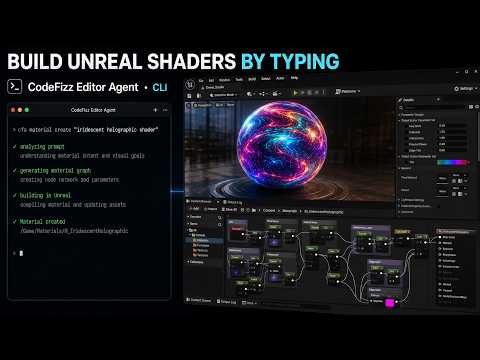
Build Unreal Engine materials by typing a prompt

2:07
A full Unreal Engine 5 level prototype from one prompt and a reference image

5:43
A full Unreal Engine 5 UI with zero images, only materials and AI
3:29
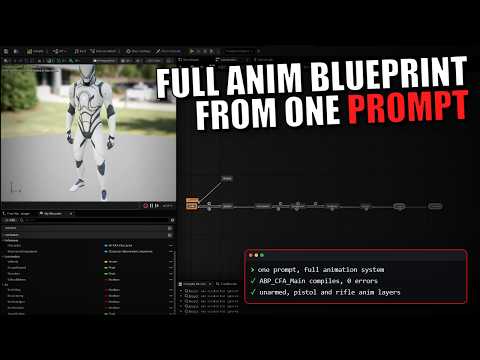
A full third person animation system in Unreal Engine 5, built from one prompt
These are our own tasks and recordings, so this is not a score against Ultimate Engine CoPilot. Read about the benchmark on the full comparison page.
About Ultimate Engine CoPilot
By BlueprintsLab
An AI agent that works inside the Unreal Editor, with an in-editor panel and an MCP server.
- Generates 3D meshes, images, sound effects, voice and music from inside the editor.
- The vendor names Blueprints, animation, materials, Niagara, PCG, Behavior Trees, GAS, UMG and Sequencer.
- Version 2.0.9 is dated 6 October 2026.
Sources: Ultimate Engine CoPilot pricing, Ultimate Engine CoPilot FAQ, Ultimate Engine CoPilot updates.
These facts were read on the vendor's own pages on 7 October 2026 and restated in our words. We have not run Ultimate Engine CoPilot, so this page says nothing about its quality. Ultimate Engine CoPilot is a trademark of its owner.
Questions people ask
What is the difference between CodeFizz Editor Agent and Ultimate Engine CoPilot?
Ultimate Engine CoPilot has the largest published tool count, supports local models and macOS, and can be bought once. CodeFizz Editor Agent is a flat subscription with a free trial, works with your own agent, and puts most of its commands into Sequencer, Niagara, Control Rig and PCG.
What do CodeFizz Editor Agent and Ultimate Engine CoPilot cost?
Ultimate Engine CoPilot: One-time licence listed at $284.99 a seat (on sale at $199.49 when checked), or plans from $25 a month with AI tokens included. CodeFizz Editor Agent: From $19.99 a month. Three day free trial with no card. A one-time Lifetime option is also offered.
Which Unreal Engine versions do CodeFizz Editor Agent and Ultimate Engine CoPilot support?
Ultimate Engine CoPilot: 5.5 to 5.8. CodeFizz Editor Agent: 5.6, 5.7 and 5.8, all on the same release.
Can CodeFizz Editor Agent profile and debug an Unreal Engine project?
Yes. Besides building assets, CodeFizz Editor Agent records and reads Unreal Insights traces to find what is slow (Unreal Engine 5.7 and 5.8), drives the Blueprint debugger with breakpoints and steps, reads live Niagara particle data and effect cost, inspects Behavior Trees during play, and test-runs a Control Rig with no window open.
See every tool in one table on the full comparison page. Other pairs: Unreal MCP, Aura, NeoStack AI, Nwiro, StraySpark Unreal MCP Server, Rekall MCP Tools for Unreal Engine, ClaudeUnreal.
Stop bouncing between AI and Unreal.
Drop the plugin into your project, point your MCP client at it, and let your AI actually build inside the editor.